Bloomberg LP
Redesigning Portfolio Cash Flows
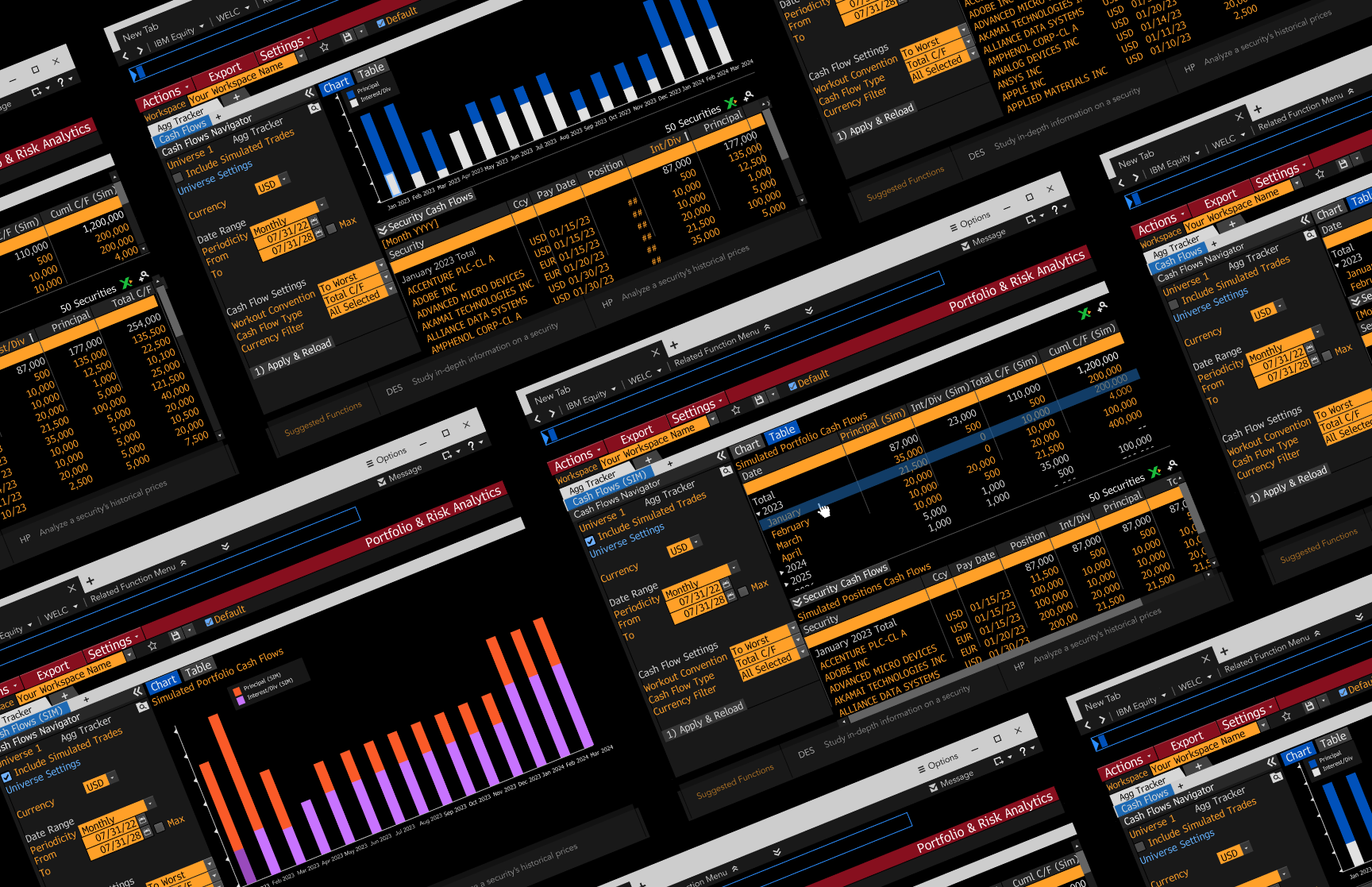
MY ROLE
Lead Product Designer
SCOPE
UX Research, interaction design, stakeholder alignment, build support
TIMELINE
2 months
Bloomberg LP is a financial software company providing data and other services to financial institutions and investors.
The Portfolio & Risk Analytics product provides institutional portfolio managers transparency into their portfolio’s performance, characteristics, and risk so that they can make better decisions based on their portfolios’ goals.
Led the redesign of Bloomberg PORT’s cash flow experience during a large-scale enterprise migration initiative, helping modernize workflows while reducing migration friction for institutional portfolio management users.
OUTCOME
Strategic Impact
Product Impact
Reduced migration risk by validating the experience for a user cohort representing 20% of the product's user base.
Redesigned the portfolio cash flow workflow by simplifying navigation and interaction patterns, enabling portfolio managers to analyze cash flows more efficiently.
Validated the features that provided, or did not provide, value for users.
Strategy & Quality
Identified future opportunities through workflow analysis and instrumentation planning.
Aligned product and engineering teams around feature priorities based on migration timelines.
Supported implementation quality throughout build delivery.
DISCOVERY
Context, Problem and Goals
Context
Bloomberg’s Portfolio Risk & Analytics product was undergoing a major migration effort from a legacy platform to a consolidated enterprise solution.
The migration required balancing:
feature parity expectations
usability improvements
user adoption and cohort migration
Because institutional users relied heavily on existing workflows, minimizing migration resistance became critical to product success.
Problem
The existing cash flow experience contained workflow inefficiencies and usability issues that created friction for users analyzing portfolio liquidity and managing cash-related decisions.
A better experience was crucial for user migration, to avoid user resistance in migrating to the new product. We needed to understand and resolve existing pain points and identify opportunities to improve the current experience in order to speed up user migration.
Business Goal
Our goal was to create a better experience so that users can migrate to the new product with little effort. We needed to create a product that allowed clients to seamlessly transition their existing workflows to the new solution.
BeforeAfterCase Study
MY CONTRIBUTION
My Contribution
I led research and design efforts for the migration initiative, partnering closely with multiple product managers to understand both business priorities and operational user workflows.
My role focused on:
uncovering workflow inefficiencies
identifying migration risks
validating redesign opportunities
balancing feature parity with usability improvements
prioritizing immediate improvements versus longer-term opportunities
I also worked closely with engineering during implementation to ensure design quality and support future product instrumentation efforts.
RESEARCH & ANALYSIS
Discovery with Product
After discussing user needs with product, I documented the following motivations users have when using cash flows:
Determine whether they are above/below their mandated cash threshold, for example, when simulating trades
Make sure they have enough cash to pay for their liabilities
User flows to better understand and empathize with users.
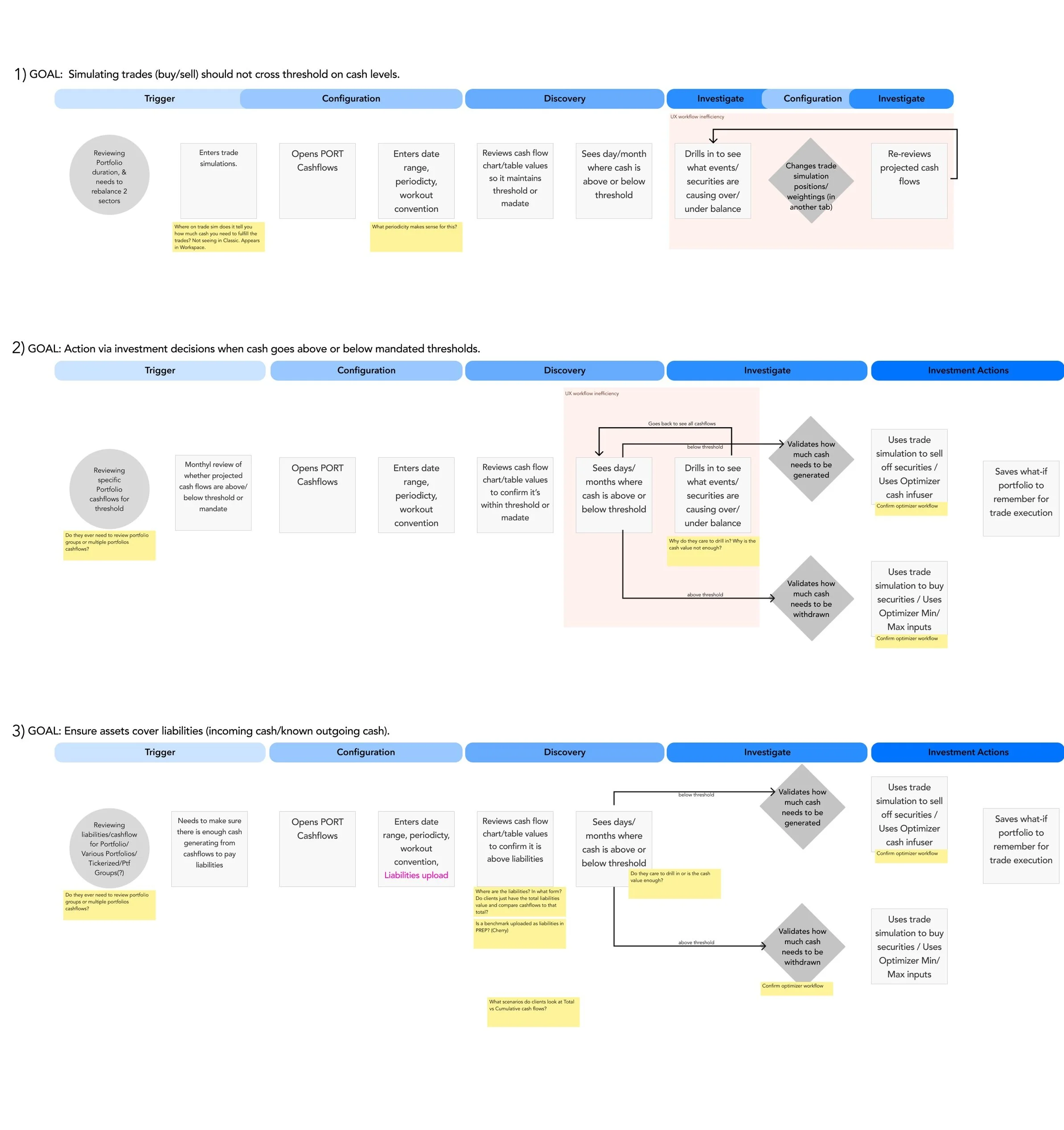
I found there were some experience inefficiencies, noted with a light red background style. There were also some open workflow questions that needed clarity, marked in yellow sticky’s in the diagram.
Since this project was important for the product migration effort, I wanted to understand all use cases, painpoints and usability problems that may have been overlooked.
Understanding User Workflows
To better understand how institutional users analyzed and managed portfolio cash flows, I conducted contextual inquiry sessions and concept evaluations with portfolio managers, operations managers, and asset owners.
The research focused on:
how and when users monitored cash thresholds
what triggered deeper investigation into portfolio cash activity
workflow inefficiencies in the existing experience
opportunities to support adjacent workflows like trade simulation
Wireframes used for research study
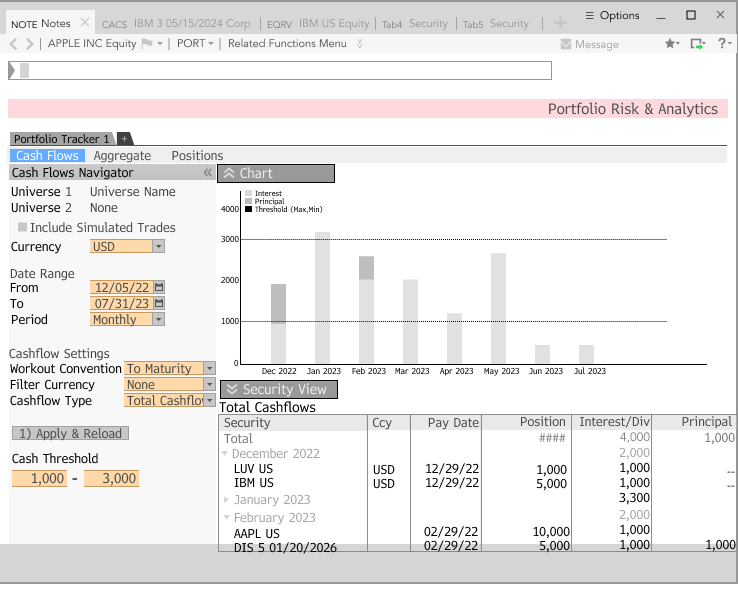
Portfolio Cash Flows
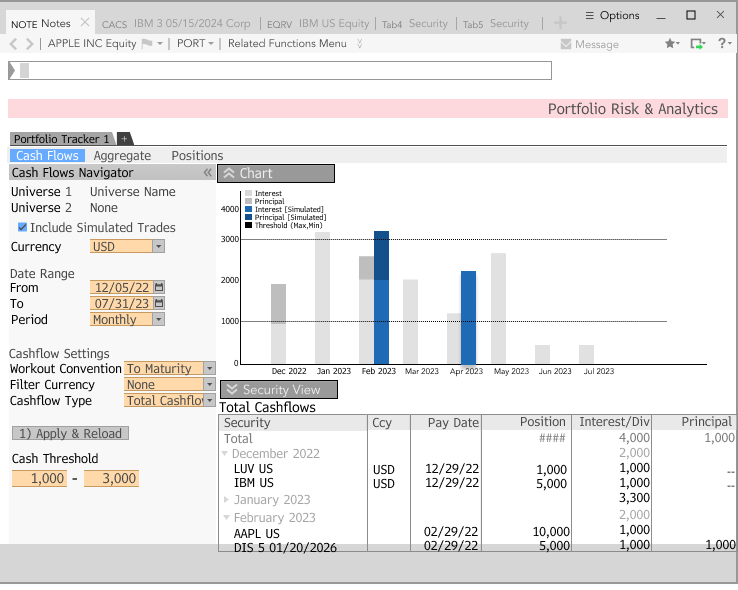
Simulated Portfolio Position Changes
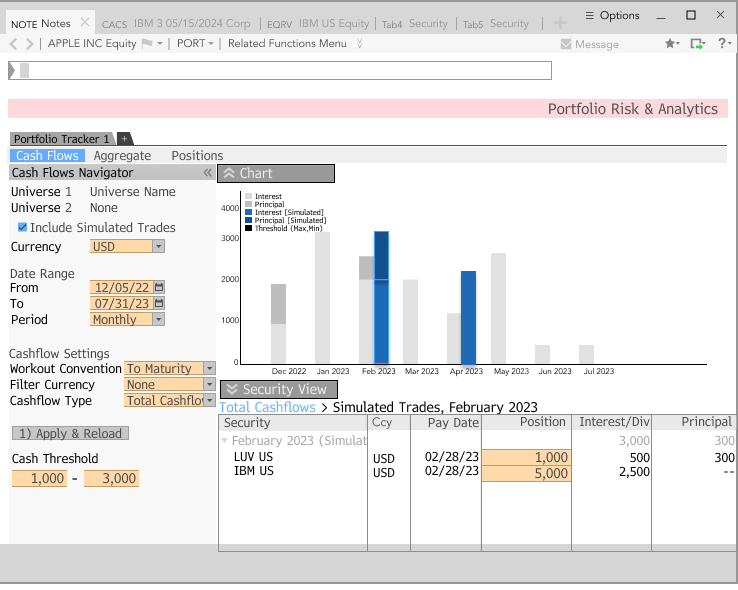
Simulated Portfolio Comparison
I interviewed
8 Total Users
5 portfolio managers
2 operations FI managers
1 asset owner
Key Findings and Insights
Contextual Inquiry: Insights
Important cash analysis configurations were difficult to access
Grid usability issues contributed to poor search capability for analysis
Navigation patterns lacked discoverability
Concept Validation: Insights
All participants gave positive feedback on the new layout of the screen which exposed the aggregate and holding level views together.
Five (out of 8) participants either did not find cash guardrails useful nor did not demonstrate confidence on how they might find it useful.
Five (out of 8) participants did not find the cash flow comparisons between the current and simulated portfolio useful for their workflow.
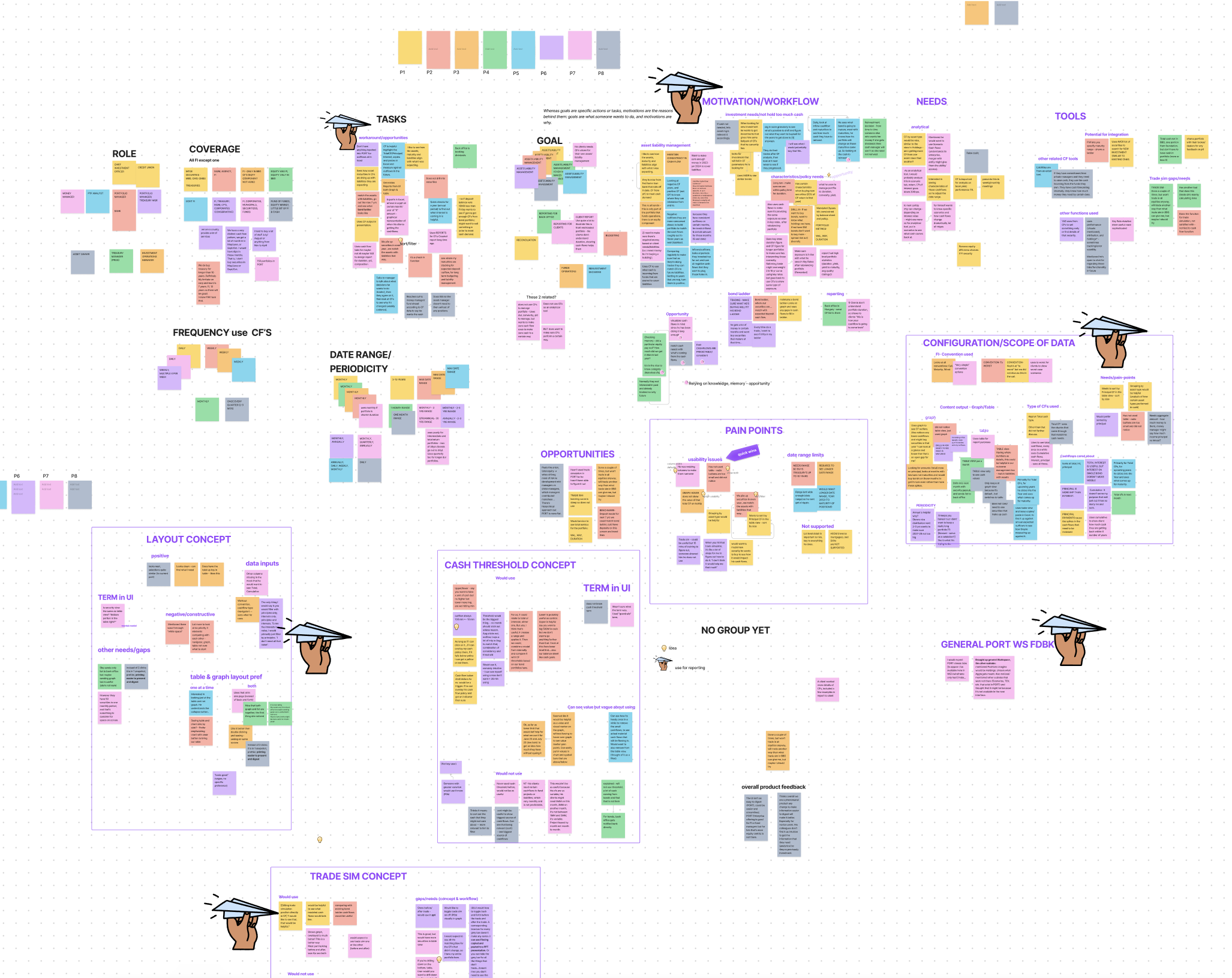
Affinity Mapping exercise image to prioritize while synthesizing.
DESIGN
Prioritizing Migration Goals
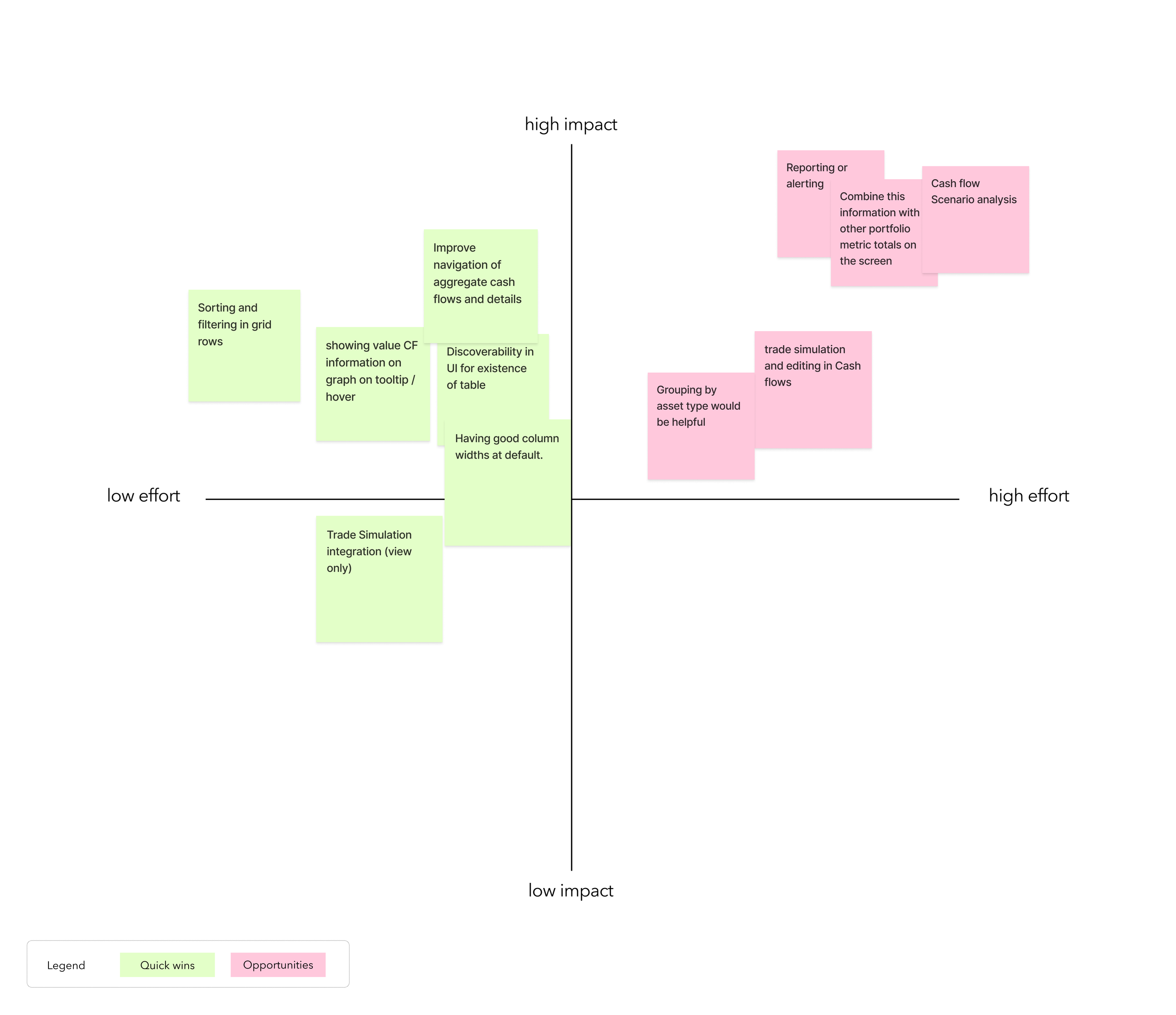
Given the migration timelines and product goals, I helped prioritize improvements that would create the highest immediate impact while minimizing disruption to existing user workflows.
The redesign strategy focused on:
Improving cash flow usability
Reducing interaction friction
Maintaining familiarity where no prior issues existed
Establishing good defaults on wakeup for first-time users
Research findings also informed which proposed features should be deprioritized for the MVP, helping the team avoid overcomplicating the migration experience.
A Quick Wins and Opportunities chart
We aligned on this Quick Wins list for the current migration build, and one for the opportunities that can be considered in future iterations.
DELIVERY
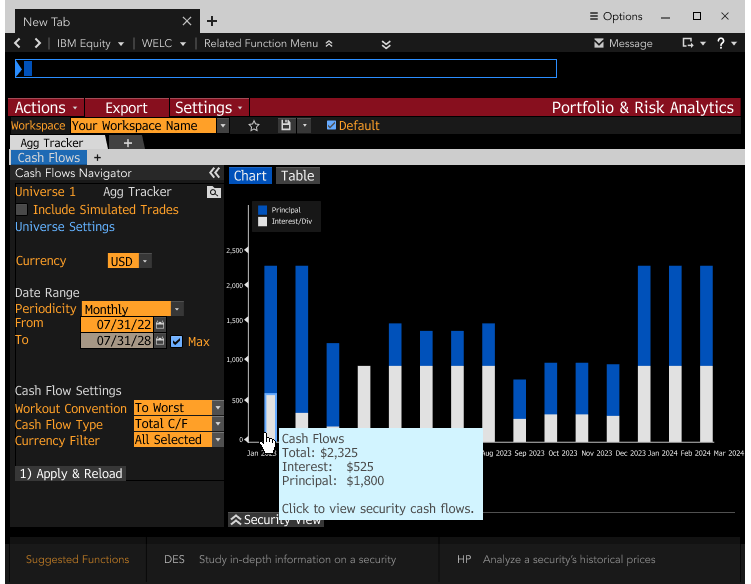
Final Designs
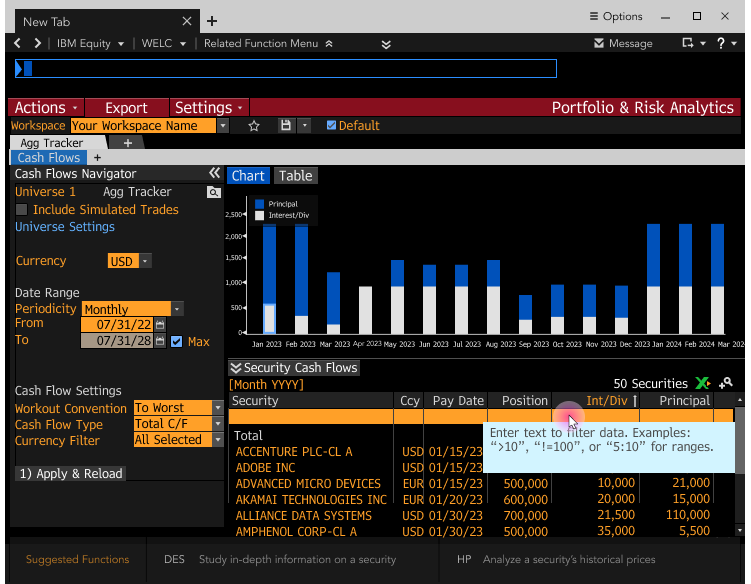
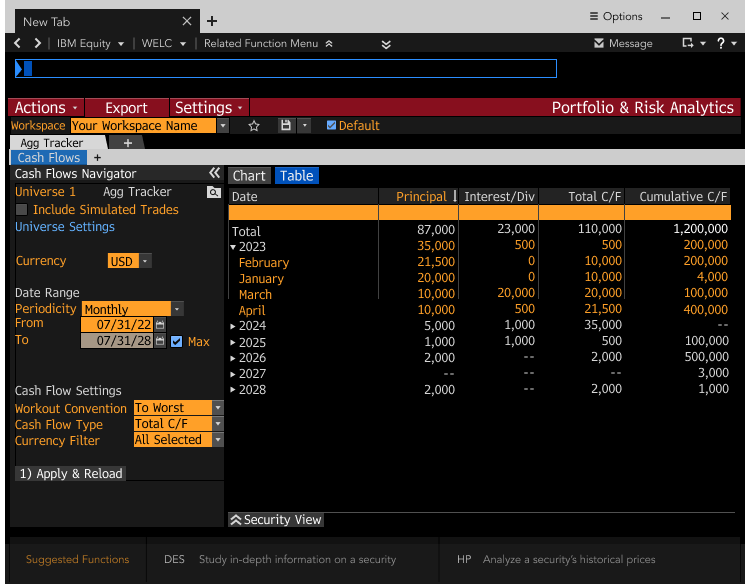
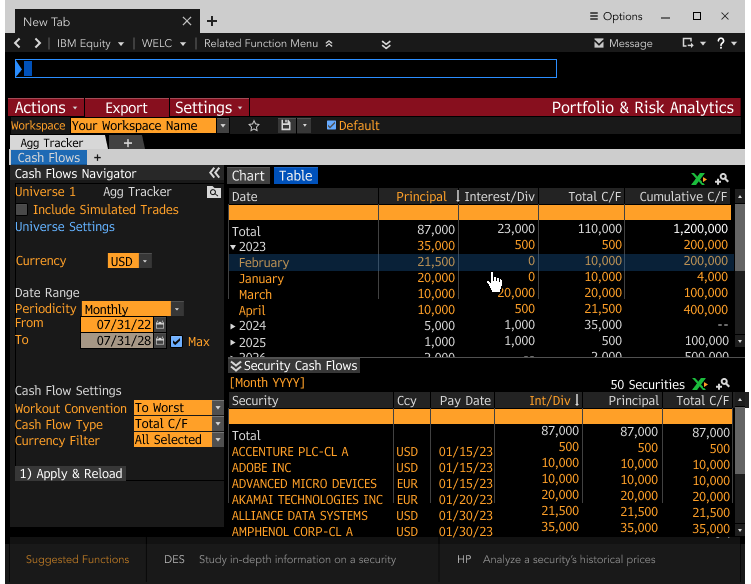
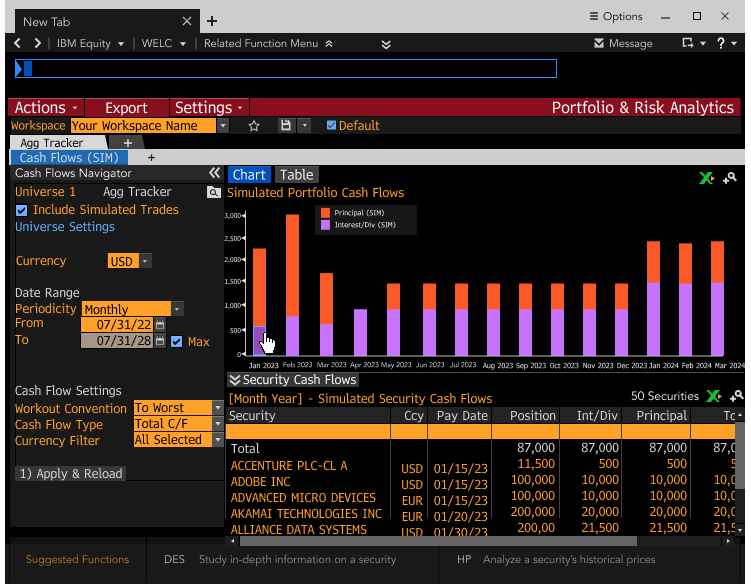
The redesigned experience streamlined cash flow analysis by improving visibility into both aggregate portfolio cash positions and underlying holdings-level data within the same workflow.
Key improvements included:
Integrated graph and holdings analysis
Improved information hierarchy
Accessible drill-down workflows
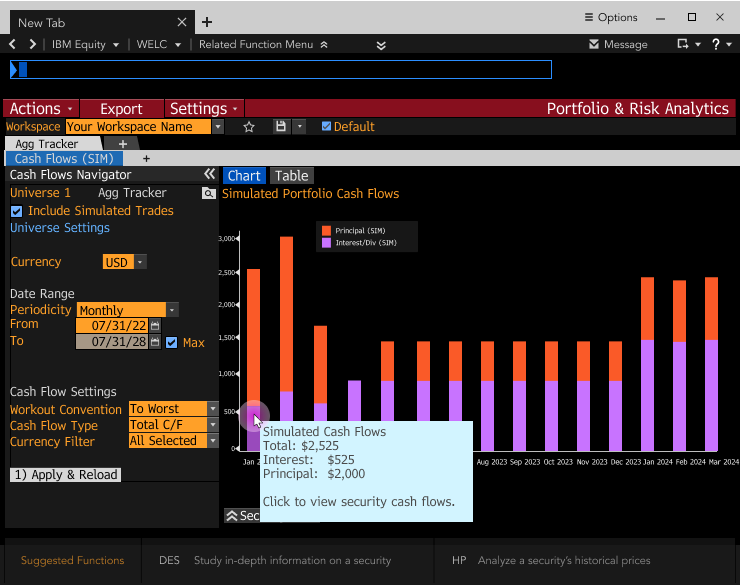
Simplified portfolio simulation interactions
Enhanced usability for anomaly detection and investigation in the grid
The solution maintained critical workflow continuity for migrating users while modernizing the overall experience.
OUTCOME
Strategic Impact
Product Impact
Reduced migration risk by validating the experience for a user cohort representing 20% of the product's user base.
Redesigned the portfolio cash flow workflow by simplifying navigation and interaction patterns, enabling portfolio managers to analyze cash flows more efficiently.
Validated the features that provided, or did not provide, value for users.
Strategy & Quality
Identified future opportunities through workflow analysis and instrumentation planning.
Aligned product and engineering teams around feature priorities based on migration timelines.
Supported implementation quality throughout build delivery.
REFLECTION
Reflection
This project reinforced the importance of balancing modernization with workflow continuity in enterprise migration efforts. Designing for institutional users required prioritization between immediate usability improvements and long-term product vision, while maintaining a careful dose of consideration for users’ current operational workflow.