Bloomberg LP
Product Migration Onboarding
MY ROLE
Lead Product Designer
SCOPE
Product Strategy
Workflow design
Build support
TIMELINE
3-6 months
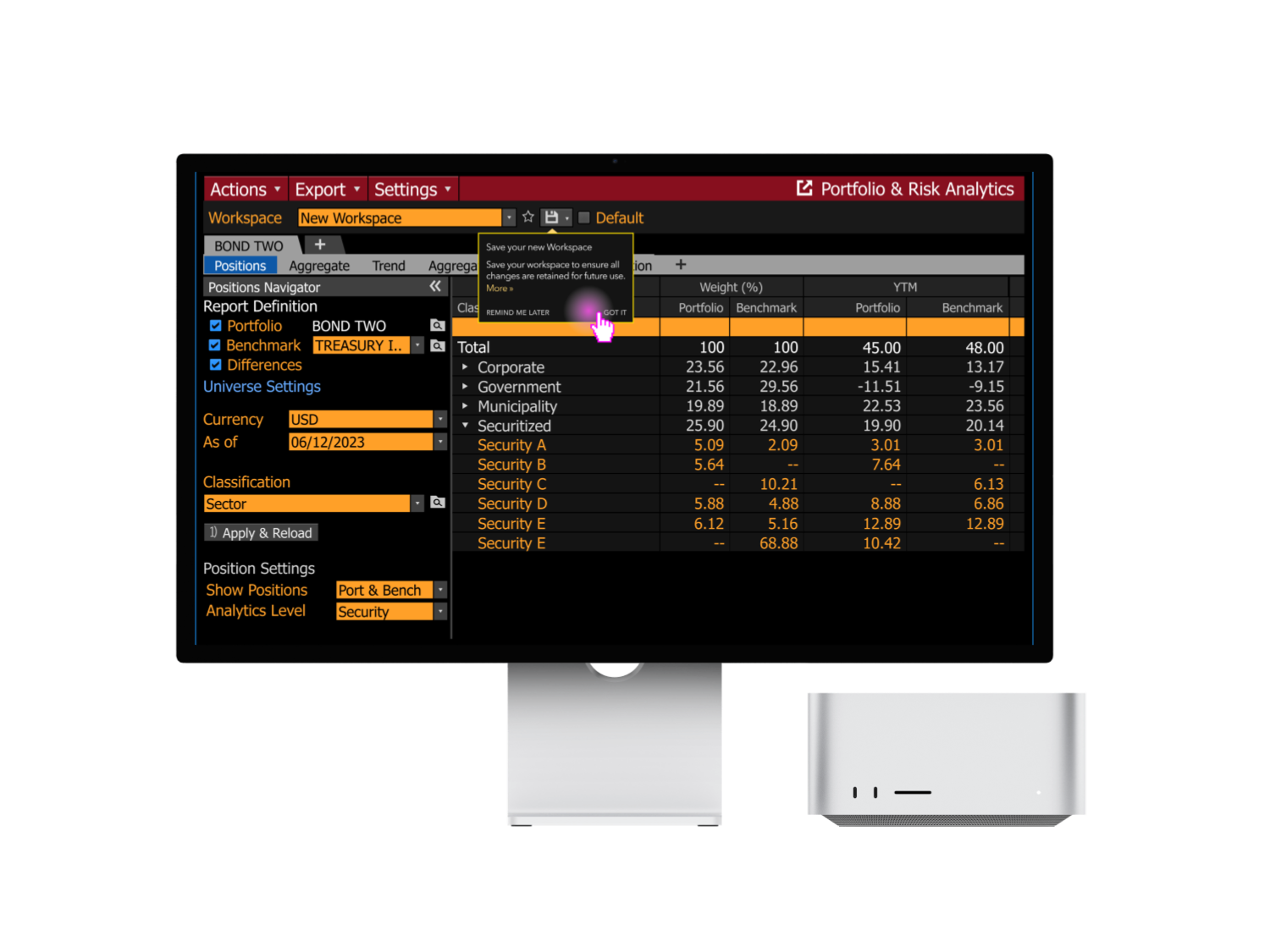
Bloomberg LP is a financial software company providing data and other services to financial institutions and investors. The Portfolio Risk & Analytics product provides institutional portfolio managers transparency into their portfolio’s performance, characteristics, and risk so that they can make better decisions based on their portfolios’ goals.
Led the UX strategy and onboarding experience for Bloomberg PORT’s enterprise transformation initiative, helping transition ~90k users to a new infrastructure and workflow model through self-service onboarding, mental model alignment, and scalable migration patterns.
OUTCOME
Strategic Impact
Product Impact
Facilitated migration of ~90k non-Enterprise and Enterprise users, removing friction so users could use and migrate to the new version as soon as possible
Simplified different product mental models into a cohesive package
Built trust into the new product through intentional onboarding experience
No product version rollbacks due to lack of clarity, trust, or awareness about the migration
Consulted engineering on building an existing UX pattern to facilitate user migration for future quarterly cohorts
Organizational Impact
Aligned multiple product teams around best UX principles
Reduced need for Sales resources through self-service onboarding flow
Facilitated cross-functional collaboration with the user documentation team
Business Context and Problem
Context
Bloomberg’s Portfolio Risk & Analytics (PORT) product is improving the product by accommodating Desktop and Enterprise users. This migration initiative affected both the back-end infrastructure and interface.
The migration required users to adopt new workflows, concepts, and infrastructure while maintaining operational continuity within complex portfolio management workflows.
Problem
Portfolio managers are unsure about the workflow of the new PORT Workspace tool and how to self-service using the tool.
This can cause
adoption delays
frustration if the process of migration is unclear, not seamless, and unorganized
organizational misallocation of resources
For example, delays in user migration may cause pressure and use of Sales teams resources, which would impair their role responsibilities (i.e. sell new product) and produce further delays to migration given the large ratio of users to sales team members.
Users needed to understand and trust a fundamentally new system without disrupting existing workflows.
Case Study
ROLE CONTRIBUTION
My Role and Strategic Contribution
I contributed to the strategy of the migration itself and led the UX strategy and design for the onboarding experience of the initiative.
My role extended beyond interface design into:
aligning stakeholders around UX principles
balancing user needs with engineering constraints
shaping workflow strategy through cross-team collaboration
Defining the Transition Strategy
I considered the following challenges to inform strategy, my direction, and designing for the onboarding experience.
Infrastructure Transition
How can we migrate user assets to the new data infrastructure in a way that is seamless and expected?
Mental Model Product Alignment
How might we migrate user assets in a way that is seamless and predictable?
How can we ensure they experience the change as clearly as possible?
Progressive Onboarding
How will users learn the new system?
How might we create an onboarding experience where users can learn key features when appropriate?
KEY PRODUCT & UX DECISIONS
Led several initiatives to create an integrated migration experience
Facilitating discussions around transition & mental model
Because of infrastructure changes, there was a difference between how each product operated. The new version held more complexity and flexibility, this needed to be easily understood and learned by the users migrating.
The layout and hierarchy of information differed between each as shown in the visual below.
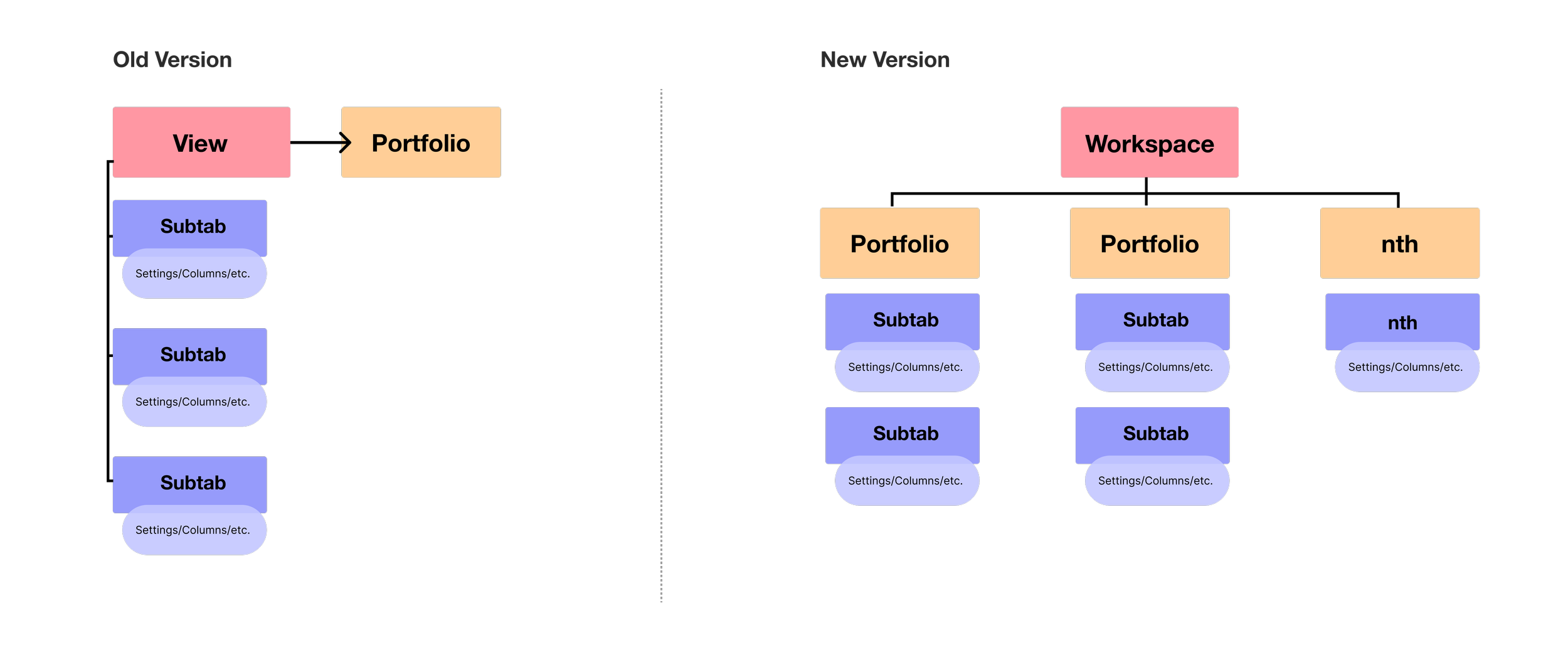
I discussed the migration plan of old views into the new system with product and engineering. We agreed that old portfolio views would migrate as a template, made of analytic subtabs in the new workspace, each with their settings, columns etc.
Furthermore, when users took action from the old to the new product, I proposed 1:1 mapping — where opening the new workspace from the old version would allow the user to immediately see the same data, despite there being infrastructure differences behind the scenes.
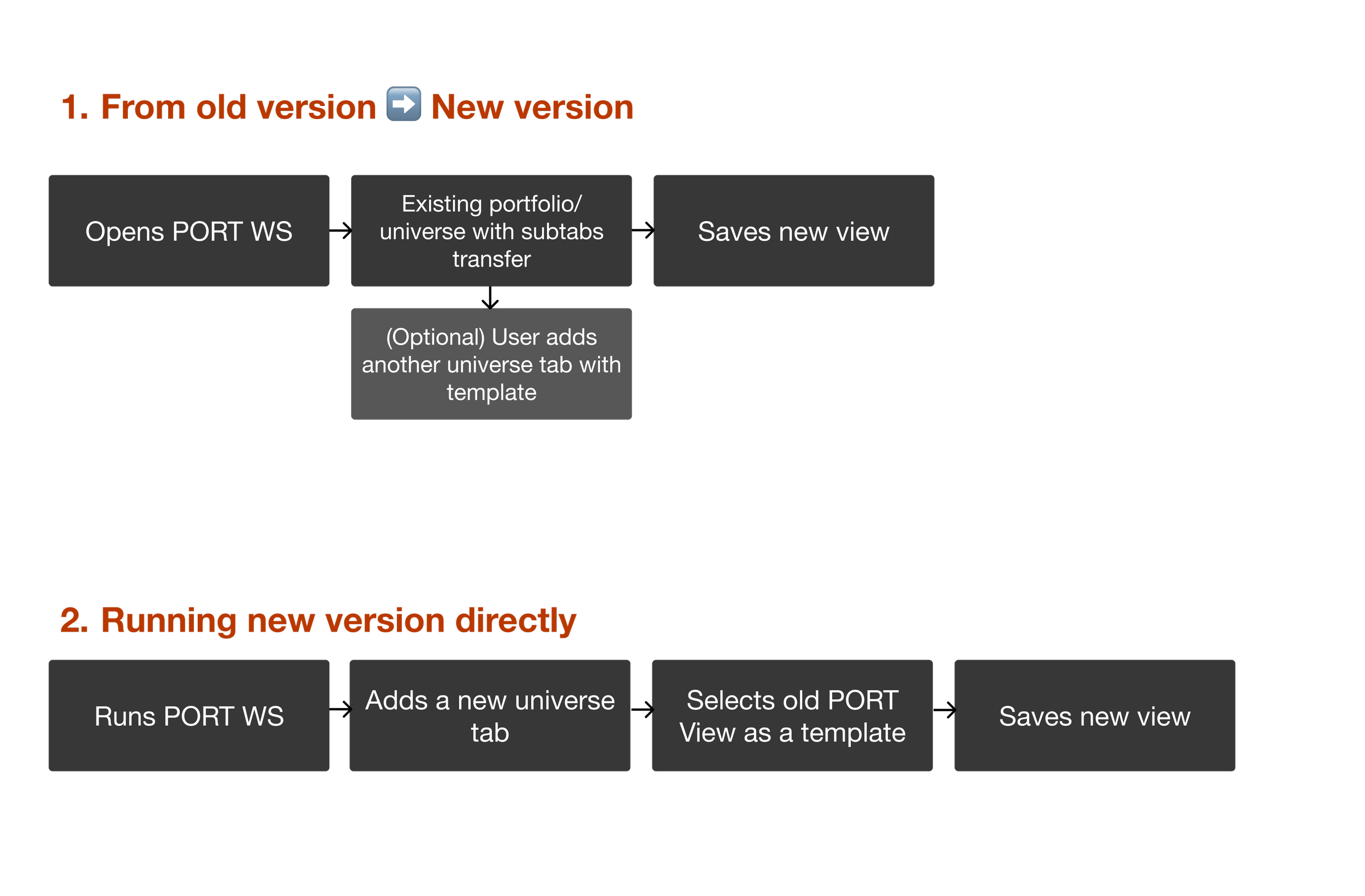
This way, clients didn’t have to lift a finger for the migration, and could easily create their workspaces based on their current views.
I consulted the team to use an “Upgrade” pattern in order to notify clients ahead of time and facilitate early opt-in.
DESIGN
Learnability and Self-Service
Creating clarity in product interaction
Leveraging existing screens in the new version, I added steps in building a new workspace view with the intention of establishing trust and predictability by delivering clarity and ease of use.
My goal was to keep cognitive load low, while providing enough information by anticipating user questions.
Improving mental model with hierarchical information design
Because the difference in view and workspace structure, I designed a control region in order for the workspace to be discoverable and provide hierarchy of what it constitutes when moving over from the old to new version.
Before: No Workspace transparency; Actions hidden; Workspace hierarchy not explicit
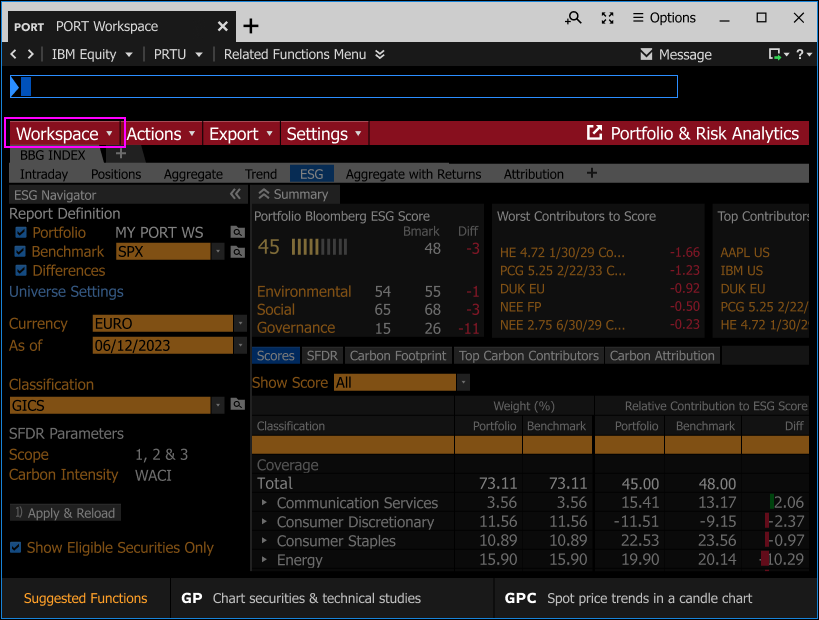
After: Workspace selection transparency; Clear actions; Information hierarchy pronounced
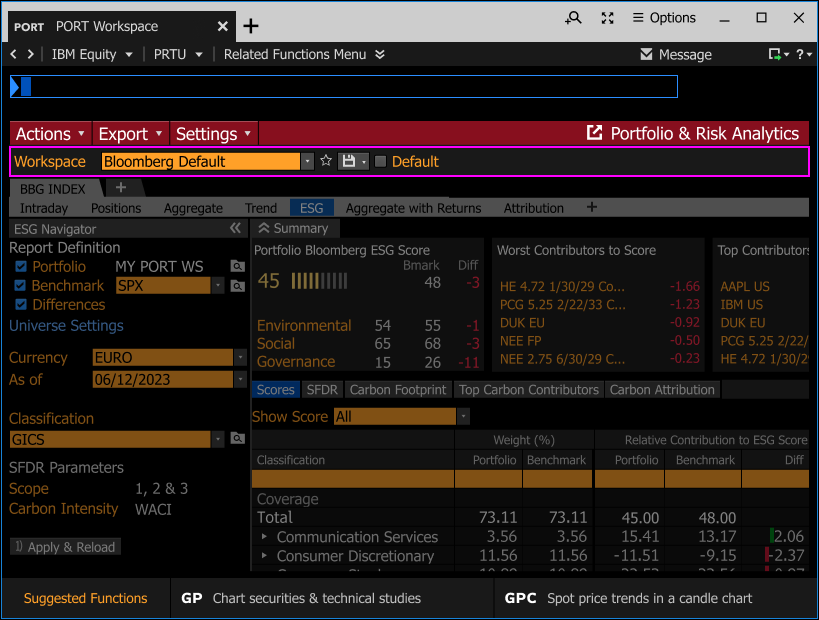
The right information at the right time
I added migration related context and learnability of the new system by redesigning existing screens, creating clarity and transparency, while keeping simplicity as to not overwhelm new users.
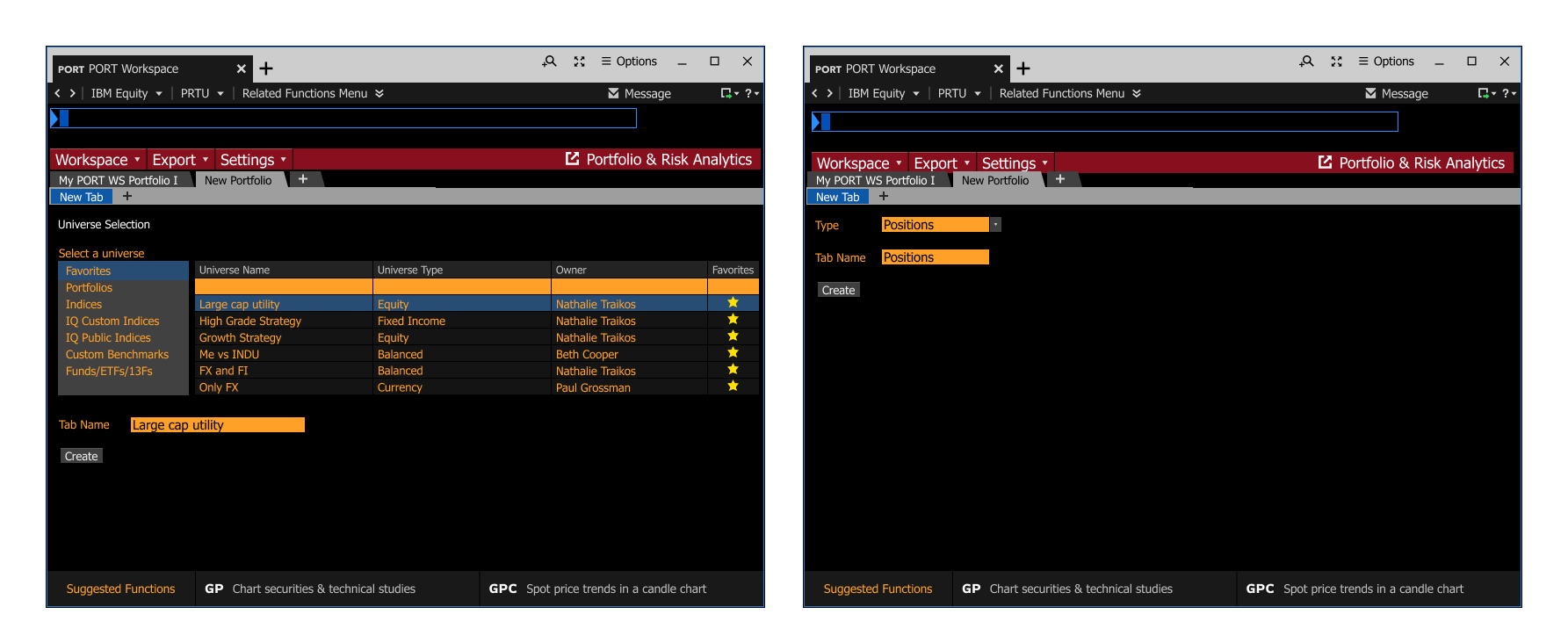
Prior workflow adding a new universe (tab) and analytics subtabs.
Not only a manual process, but this decision-making task was difficult to make if they did not know what the name of the analytics subtab was called. This reduced trust and introduced friction.
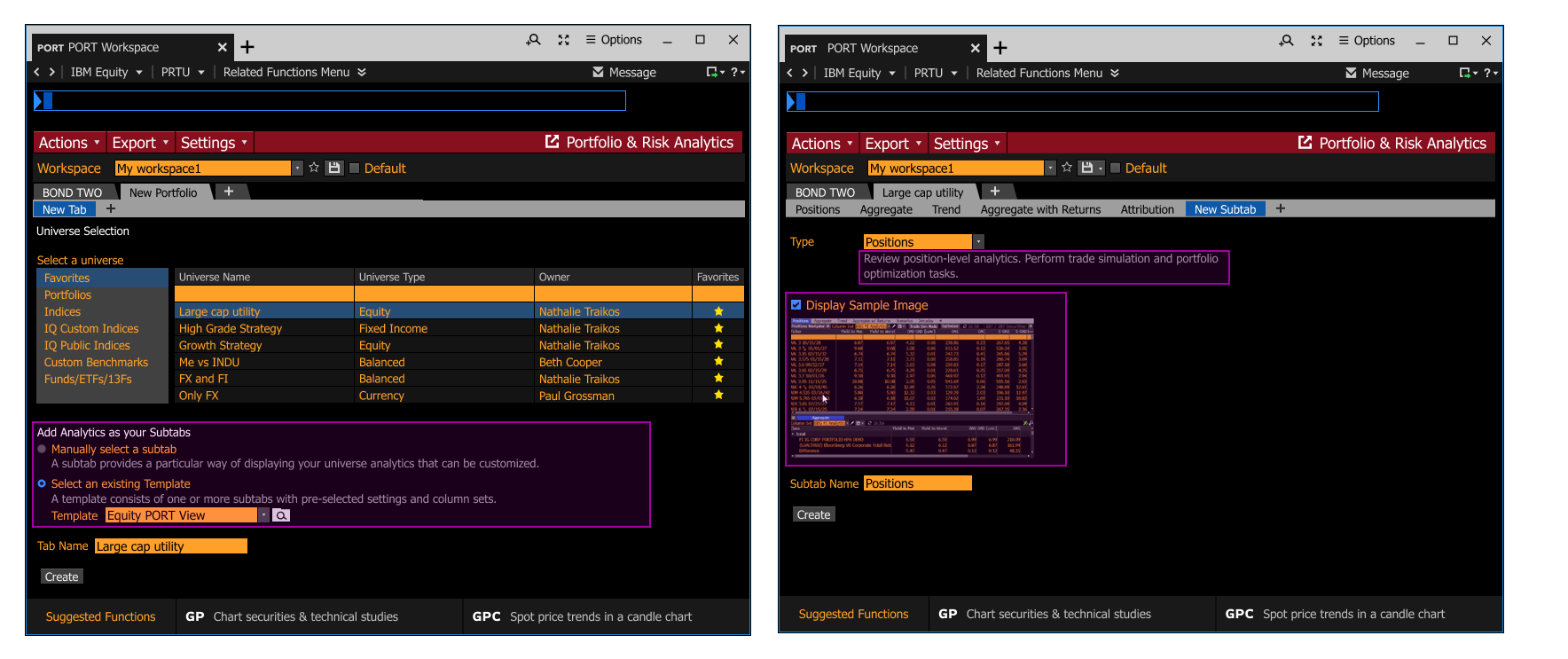
Redesigned workflow:
Templates were migrated and allowed zero friction in adding all the analytics subtabs they previously were using in the old version, allowing users to start their work ASAP.
Context in form of descriptions was added to teach users the new mental model as they onboarded.
Included preview images for subtabs to reduce mistakes, and build trust in the new system.
Contextual guidance for progressive onboarding
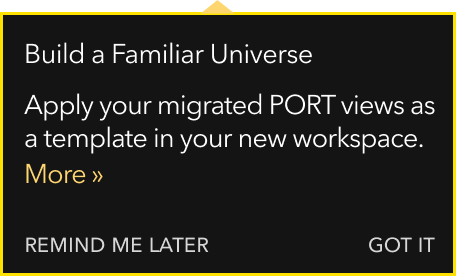
I worked with the product documentation team to provide our existing “postcards” pattern, to mimic onboarding cards, so that we could provide contextual guidance to users on important workflow points, such as saving their new workspace when migrating over from the PORT Classic.
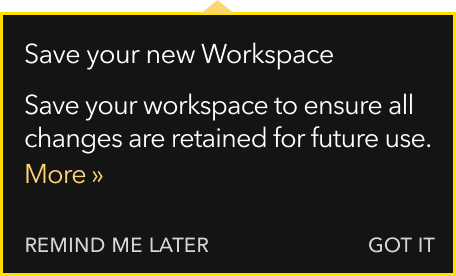
Bringing it all together
The final experience migration experience made sure that users would actually migrate, do so with clarity, and start using the new product with confidence.
This led to zero reversions for the first two cohorts, and a small number of reversions in later cohorts. Reversions were only made when certain features were still not fully built in the new version, and not due to a lack of understanding, walk-through, or readiness in the product migration experience.
OUTCOME
Strategic Impact
Product Impact
Facilitated migration of ~90k non-Enterprise and Enterprise users, removing friction so users could use and migrate to the new version as soon as possible
Simplified different product mental models into a cohesive package
Built trust into the new product through intentional onboarding experience
No product version rollbacks due to lack of clarity, trust, or awareness about the migration
Consulted engineering on building an existing UX pattern to facilitate user migration for future quarterly cohorts
Organizational Impact
Aligned multiple product teams around best UX principles
Reduced need for Sales resources through self-service onboarding flow
Facilitated cross-functional collaboration with the user documentation team
REFLECTION
Offboarding thoughts
Enterprise onboarding is fundamentally about helping users build confidence in unfamiliar systems while minimizing disruption to established workflows. This requires concepts and decisions to be fine-tuned behind the scenes, including how new concepts will be introduced and how that will impact users’ mental models. Designing for a migration required careful balance: avoiding overloading users with information while being informative enough to support their transition of the new interface gracefully.